Import Group Data Entry Task in AfiFarm
This procedure outlines the steps required to process a group from a third-party platform and import it into AfiFarm. This ensures herd management data remains synchronized across both platforms. This process can be used for any data entry task. The example below uses the change group function to demonstrate how to use this feature:
Step 1: Export the Group from the Third-Party Platform
-
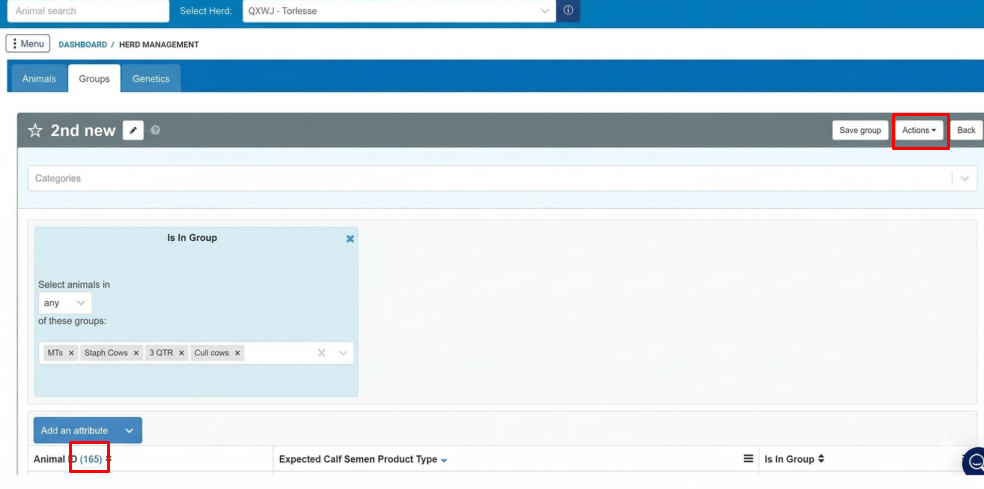
In your third-party platform, locate and open the group to export.
Note: Record the total animal count in the report to verify the import later.
-
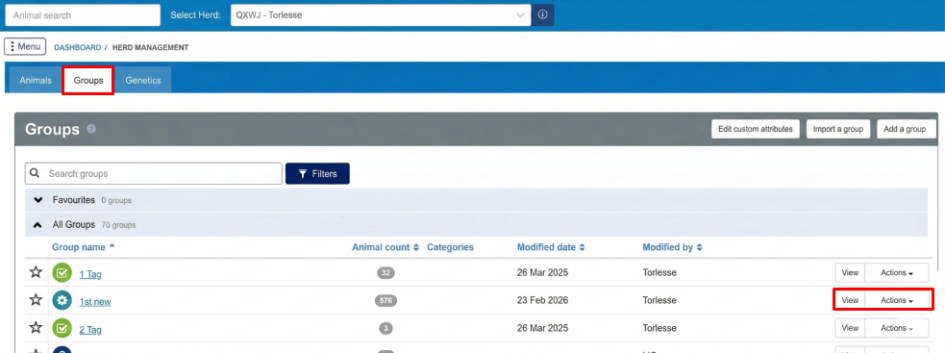
Click the Actions drop-down menu on the right side of the screen.
-
Select Download CSV.
-
Save the file to the computer.
Note: Do not open the file before you import it into AfiFarm.
Step 2: Configure the Import in AfiFarm
-
Open AfiFarm.
-
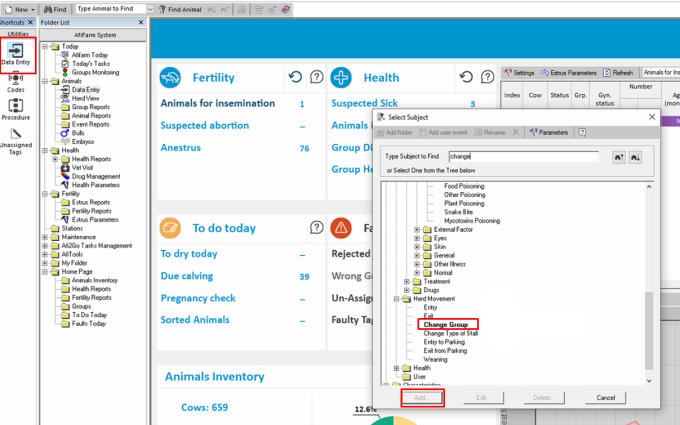
Click Data Entry on the shortcuts bar.
-
Search for "Change Group" or locate it within the Herd Movement folder, then click Add.
Note: The import process can be used for any data entry task - not only change group.
-
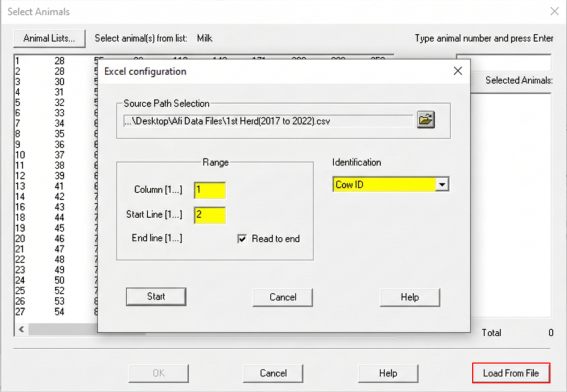
In the Select Animals window, click Load from File in the bottom-right corner.
-
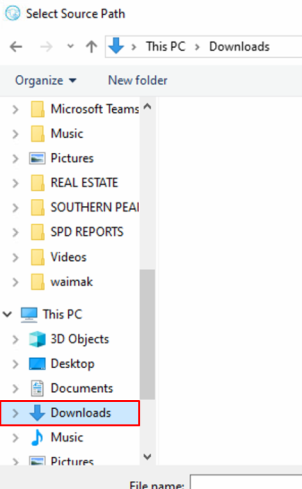
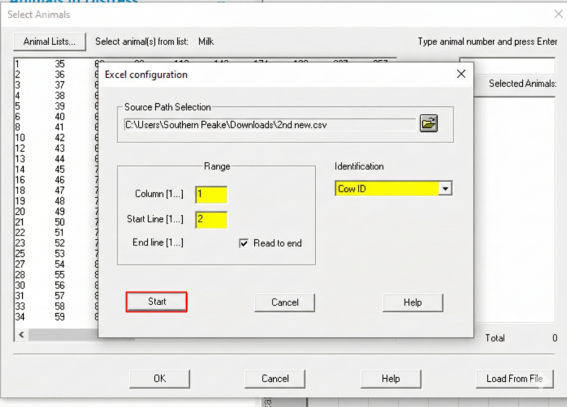
Navigate to the Downloads folder, select the CSV file, then click Start.
Step 3: Assign and Clean Animal Data
-
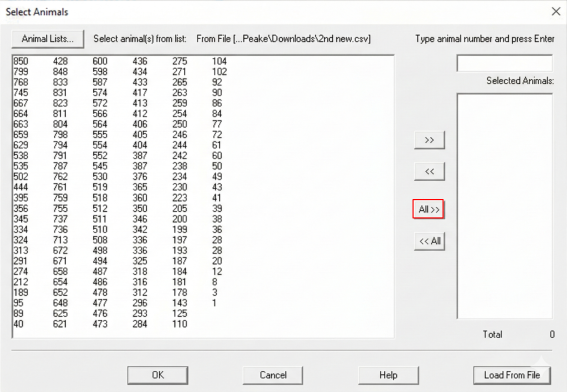
Review the list of animals in the left pane.
-
Click All >> to move all the animals into the selection column, then click OK.
-
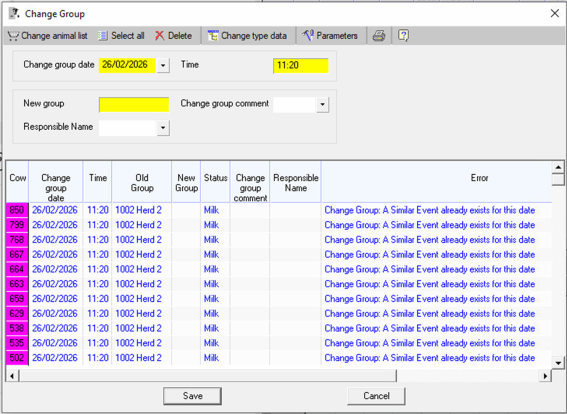
In the Change Group window, enter the group name in the New group (yellow) field and press Enter.
-
Review the list for animals highlighted in red.
Note: Red indicates the animal is already assigned to this group.
-
Delete duplicate (red) entries:
-
Hold the Shift key and select the range of red animals.
Note: The selected animals will be highlighted purple.
-
Press Delete on the keyboard.
-
-
Verify no red entries remain, then click Save.
Step 4: Verify the Import
-
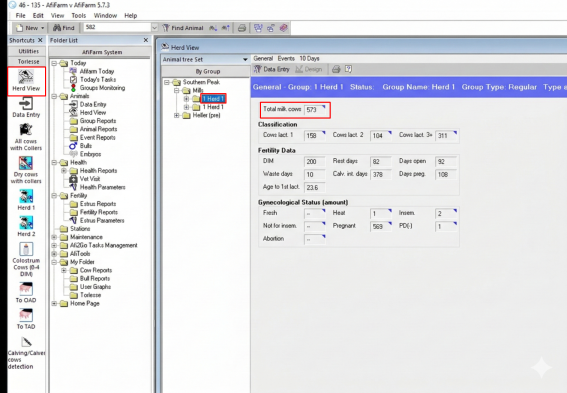
Select Herd View from the shortcuts bar.
-
Select the new group and confirm the Total cows count matches the original animal count recorded from